
How to create a new Group
Learn how to create a new group on INSIA.
Last updated July 22, 2024
Watch our step-by-step video tutorial on how to create a new group, or follow the steps given below.
Steps:
The add group option helps you to add/create a new group. To create a new group, click on the 'Add Group' icon on the top of the Groups List page.

On clicking the button, a pop-up box opens that requires you to enter the details of the new group you wish to create. These include:
Group name
Owner
Group Users
Edit RBAC (The feature is explained in the next section)
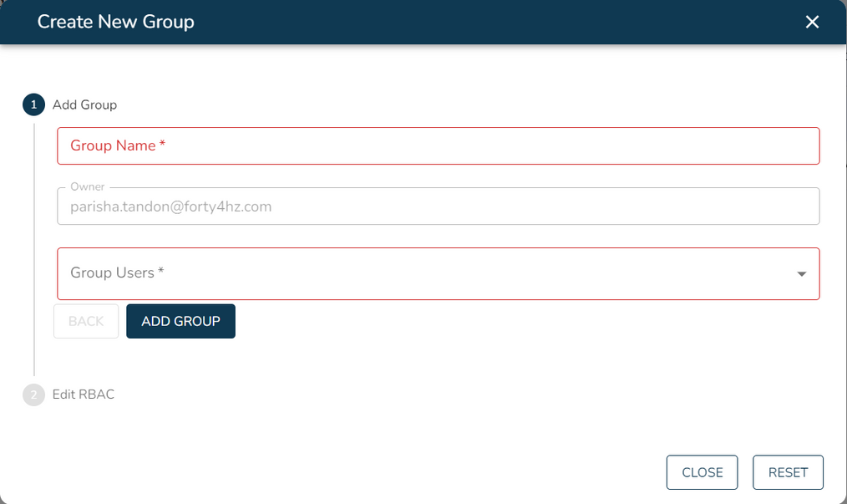
Once you have filled in all these details, click on ‘Add Group”. Voila! Your group has been created.
Related Articles: