
How to delete users?
Suspending a user on INSIA
Last updated July 22, 2024
We currently don't allow deleting a user on INSIA as it would create problems with ownership of reports, and dashboards. However, as an Admin, you will be able to suspend a user so that they no longer will have access to INSIA. To go about suspending a user:
Steps:
Go to the user list under Admin Portal --> Users as shown below
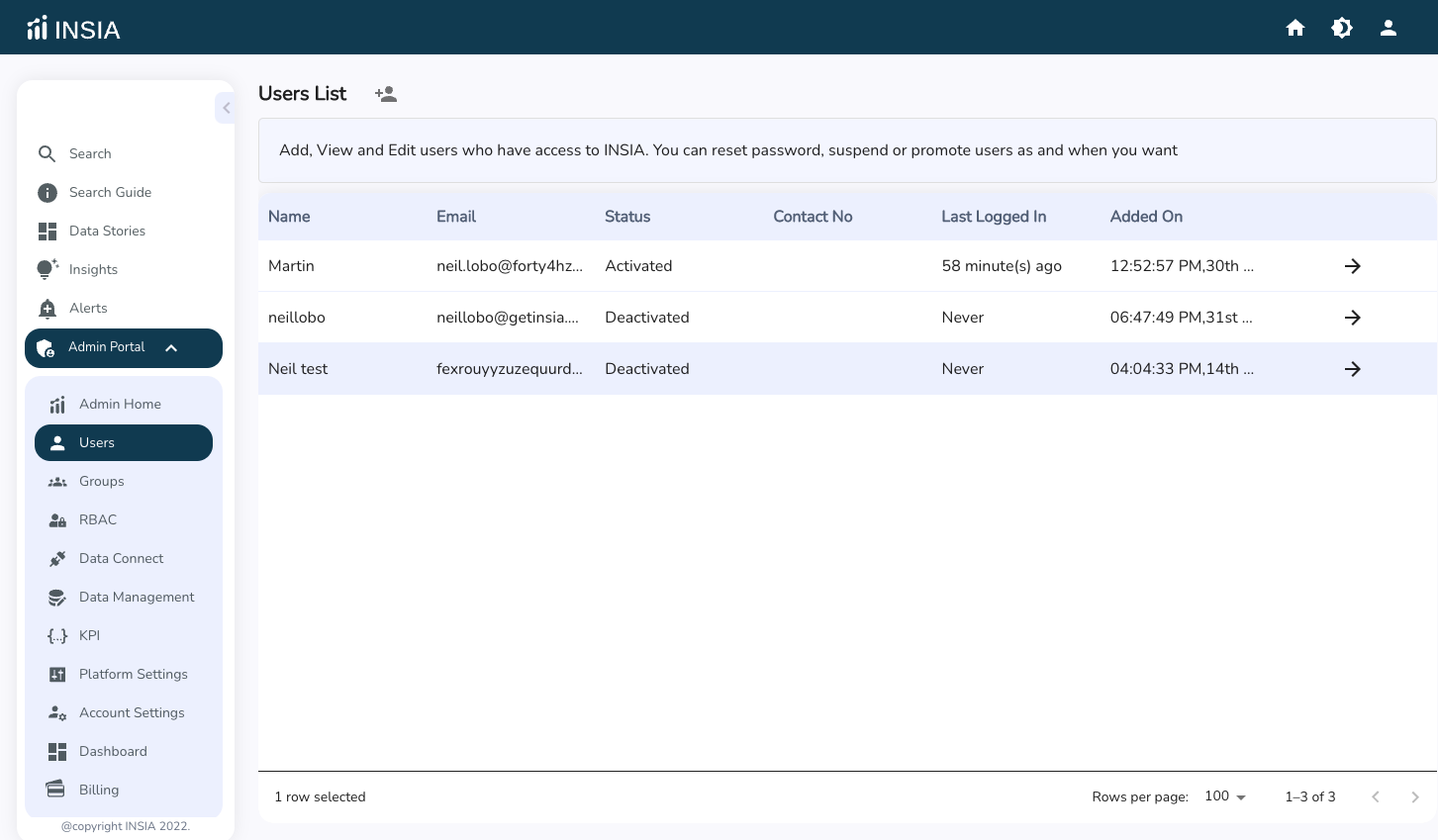
Select the user you would like to delete
Disable their "Super privileges" (If any)
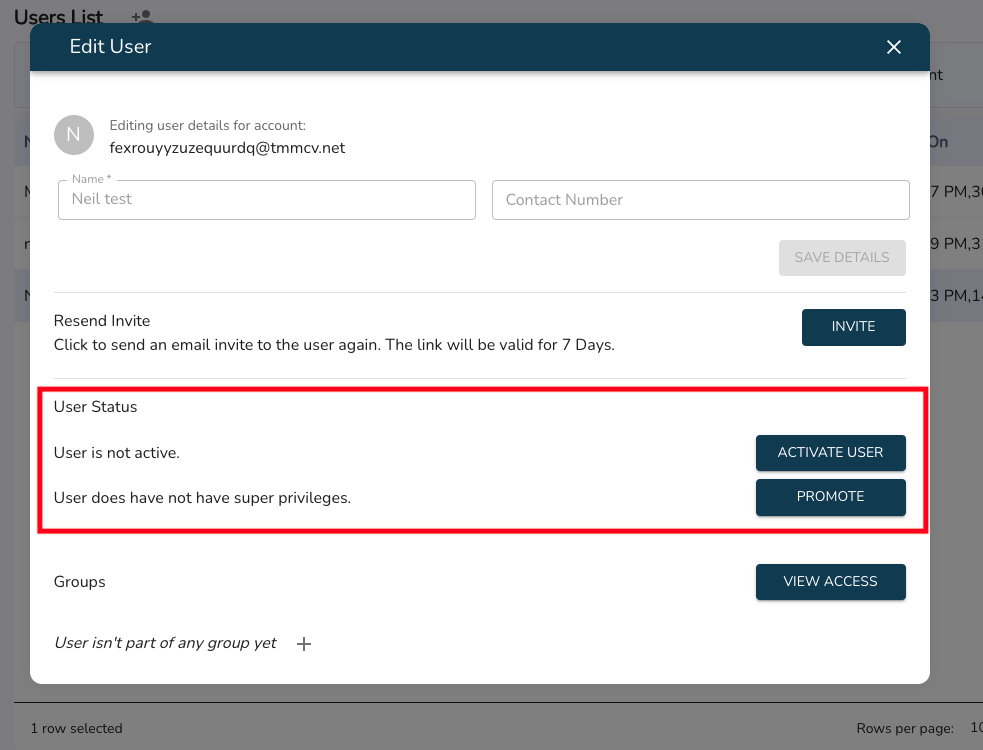
No, click on "Demote"
If you have any questions, feel free to message us using the in-app chat.
Read Next: