
How to download a Data Story
Learn how to download your data stories as PDFs.
Last updated July 22, 2024
The main purpose of a data story is to generate a detailed analysis report that you can view and share with your team members and others. You can easily download the data story as a PDF document whenever required.
To download a data story, simply follow the steps given below:
Steps:
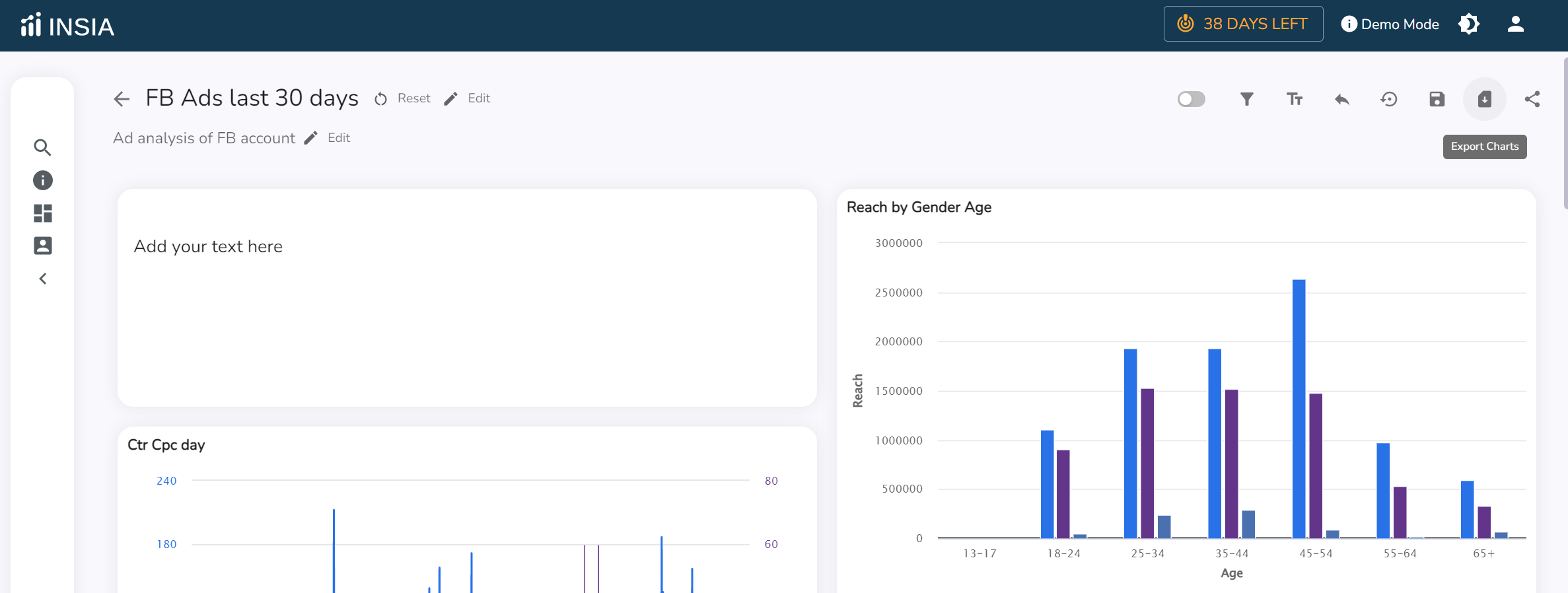
Select the 'Export Charts' option present on the top-right corner of the data story.
Mention the specifications and click on 'Print' to download it as a PDF.
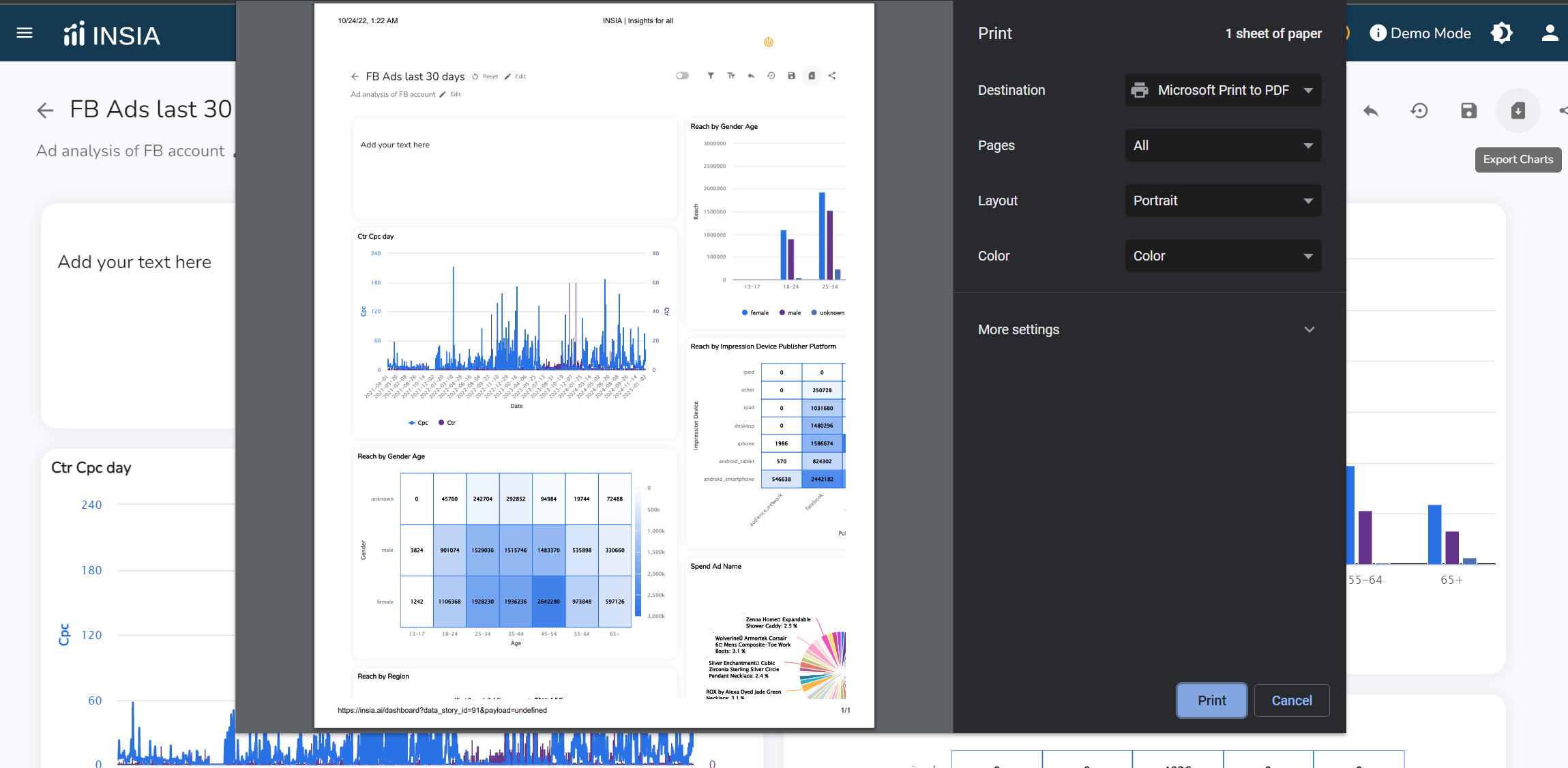
And voila, you've downloaded your data story!
Related Articles: